
We're pleased to announce the release of Screens 5.8.7 and Screens Connect 5.3, which now support both Sign in with Apple and Sign in with Google.
Until now, creating a Screens Connect account required signing up with an email address and password. While that worked well, it also added extra steps before you could get up and running.
With today's release, getting started is faster and simpler than ever.
Sign In, Connect, and Go
When creating a new Screens Connect account, you can now choose:
- Sign in with Apple
- Sign in with Google
- Email address and password
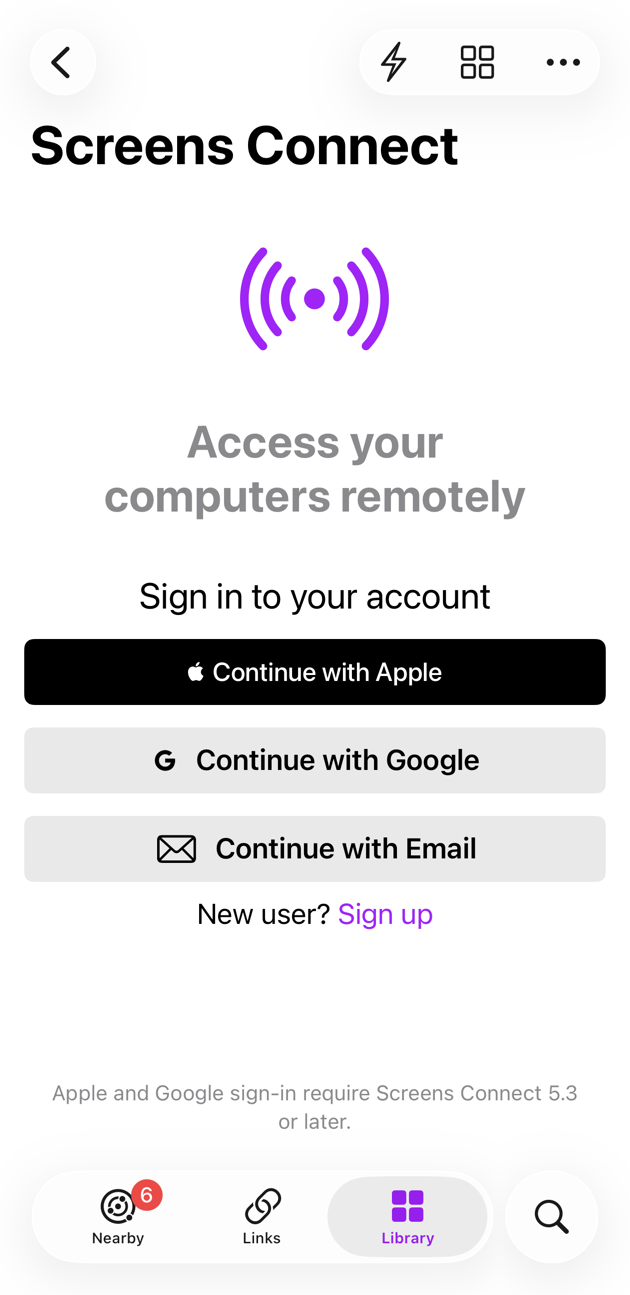
Using Apple or Google means:
- No password to create or remember
- No account verification emails
- Fewer steps during setup
- A faster path to remote access
For many users, this means going from launching Screens to connecting to their computers in just a few clicks.
Existing Users Can Switch Too
Already have a Screens Connect account created with an email address?
You can switch your existing account to Sign in with Apple or Sign in with Google.
Before doing so, make sure that:
- You are running Screens 5.8.7 or later on all your devices
- You are running Screens Connect 5.3 or later on all your computers
After switching, you'll need to sign in again anywhere you're currently signed in using your email address and password.
This ensures all your devices and computers are using the same authentication method and remain properly linked to your account.
Important: macOS Compatibility
Screens Connect 5.3 requires macOS 10.15 Catalina or later.
If you need to install Screens Connect on an older Mac running macOS 10.13 High Sierra or macOS 10.14 Mojave, continue using Screens Connect 5.2 and a traditional email address and password.
Sign in with Apple and Sign in with Google are not available on those older versions of macOS.
Getting the Update
Screens 5.8.7
Screens 5.8.7 is available now on the App Store:
https://apps.apple.com/app/screens-5-vnc-remote-desktop/id1663047912
Screens Connect 5.3
Screens Connect 5.3 is available:
- Via Screens Connect → Check for Updates...
- From https://edovia.com/screens-connect
Looking Ahead
Adding Sign in with Apple and Sign in with Google is an important step toward making remote access setup as simple and friction-free as possible.
Whether you're setting up a headless Mac mini, accessing your workstation remotely, or helping friends and family, getting connected should be easy.
We hope these new sign-in options make getting started with Screens even faster and more convenient.
As always, thank you for using Screens.